Run GA4Dataform Model manually
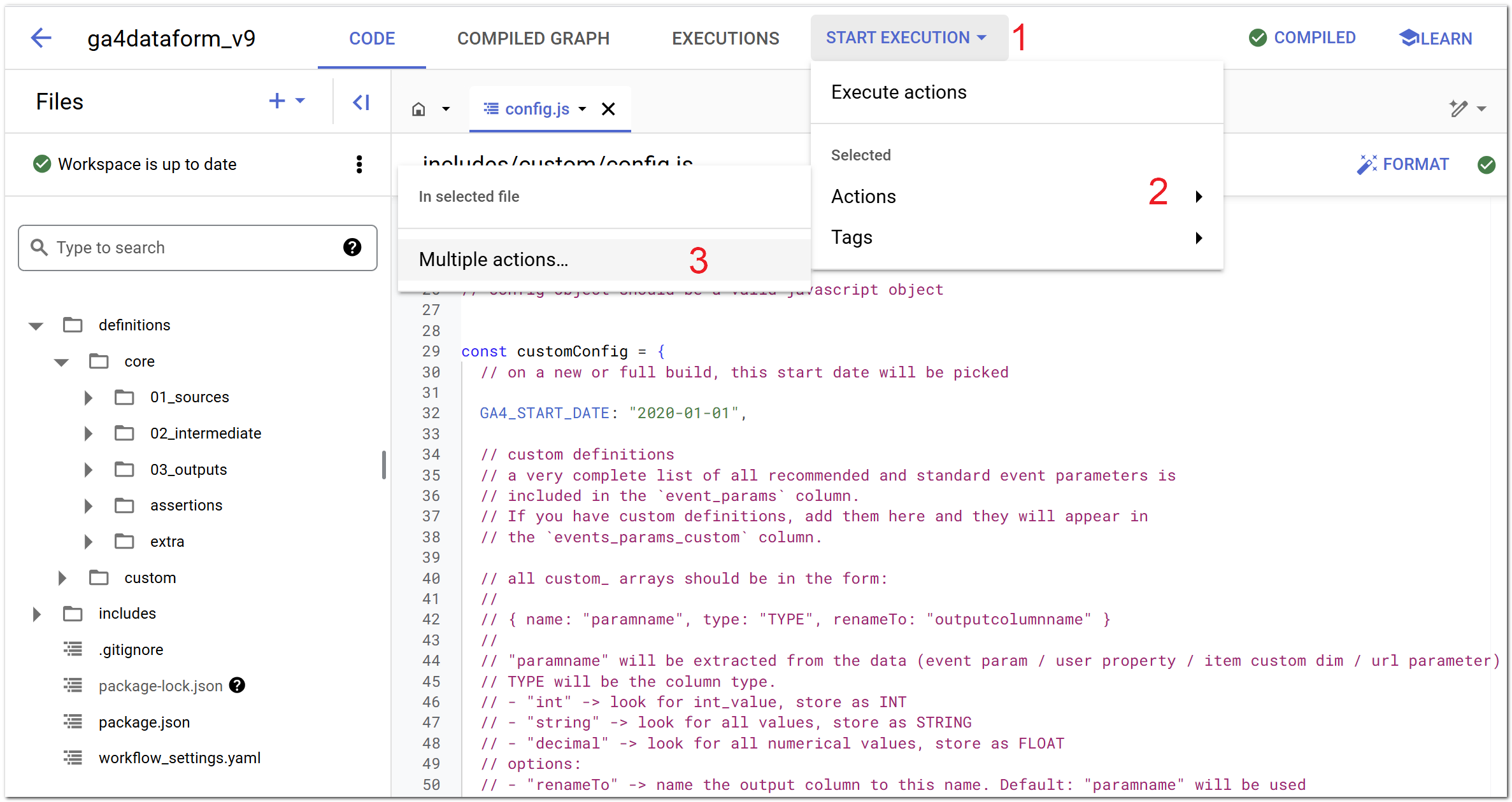
1. In your Dataform workspace, click on "Start Execution"
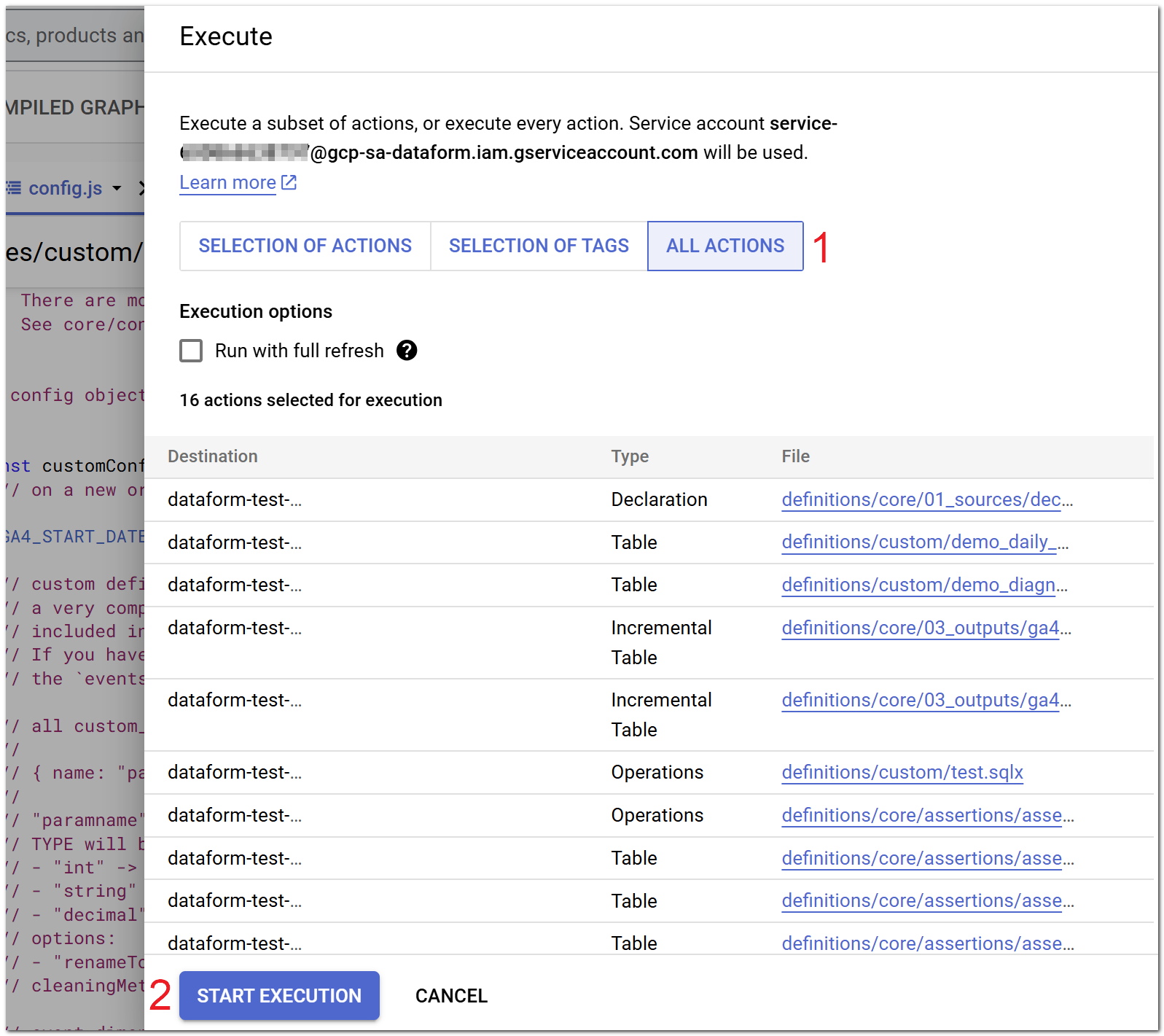
2. Execute all the actions you need
3. Check for success
Under "Workflow execution logs" you can check if the model has run successfully.
Processing Time
Depending on the size of your data and the amount of parameters that need to be unnested, it might take quite a while for BigQuery to process everything. It can take somewhere from 1-2 minutes to even 2 hours in some rare cases.
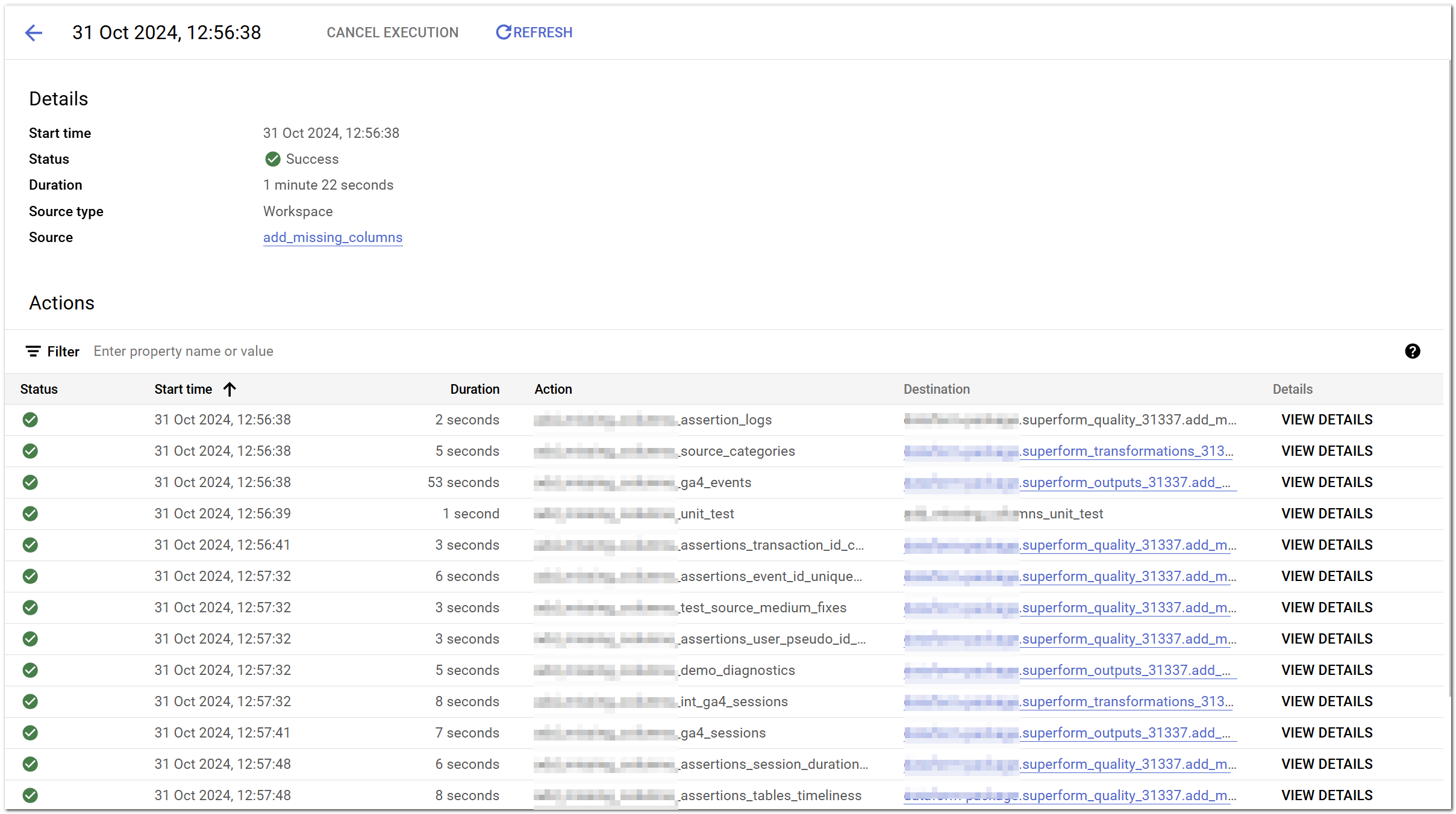
The successful completion will be shown with green checkmarks!